
Can you run Neck Diagrams on macOS 27 Golden Gate? YES!
Share:

24th September 2026
Apple released macOS 27 Golden Gate on 14th September — catching us a little off guard, we were expecting it nearer the end of the month!
They’ve been warning that Intel-based applications won’t work in future versions of macOS; you might’ve seen a notification like this:
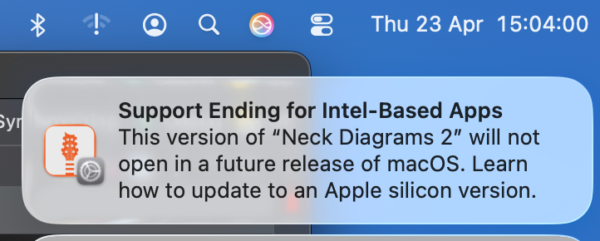
This had us confused too, thinking that Apple meant that would be the case this most recent release! That day hasn’t arrived yet- macOS 27 Golden Gate still supports Intel-based apps via Rosetta 2. However next year’s macOS 28 will not.
When you first run Neck Diagrams on macOS 27 it will prompt you to install Rosetta (unless already installed due to another Intel-based app!):

Just click the Install button and Rosetta will be downloaded. You’ll be prompted to authorise the Rosetta installation:

Once that’s done you can just fire up Neck Diagrams as usual! Here you can see it running on macOS 27 Golden Gate as confirmation:

If you want to double-check that Rosetta is definitely still supported until next year’s macOS 28 then you can confirm this in the Apple support document here:
The Silicon-native Neck Diagrams Build
This is in progress and we’re hoping to release soon – this year – definitely WELL before next year’s macOS 28 release!